



How to embed SDS Figshare
Sustainable Digital Scholarship (SDS) Figshare is an example of a service available within the University which you can embed by generating a code.
The SDS platform is highly suitable for publishing, sustaining and collaborating on research data, especially on projects that expect to be adding or editing data into the future. Unlike a data archive, files placed on the SDS platform remain “live”, able to be edited while still being easy to cite and share.
SDS Figshare enables you to embed research data from the platform on your Mosaic site.
Refer to the FAQ about embedding content from the SDS platform on your Mosaic site.
Anyone with an Oxford SSO can use the platform, and embedding and sharing content is covered by the reuse licence.
You can access the Figshare Web Gallery code generator directly at the Figshare Helper page. You can also access it via the SDS portal.
These are the steps you will take to embed SDS Figshare content as a web gallery:
- Go to the embed generator: Figshare Helper page
- Grid configuration: select number of rows and columns
- Optionally, select the Group, Project or Collection ID of the data you want to display. For example, a Faculty, Department or individual research project
- Optionally, tick to add a search box on your gallery (this will only be actioned if you have specified a Group or Project ID.
- Click “Generate embed-code"
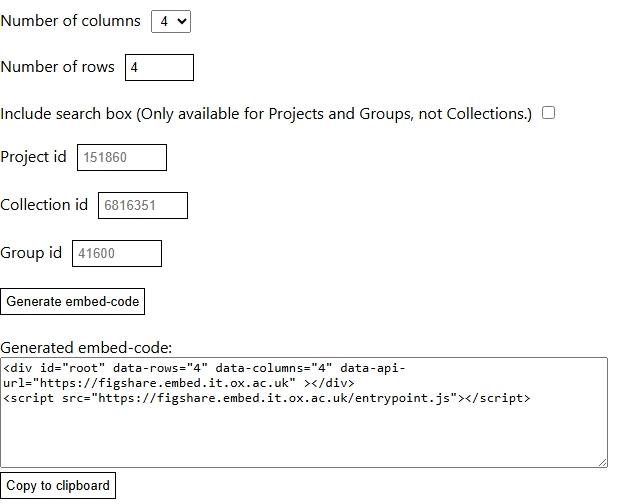
- “Copy to clipboard”
- Add a WYSIWYG widget
- Switch to “Source” view and paste the embed code
- Save draft or publish
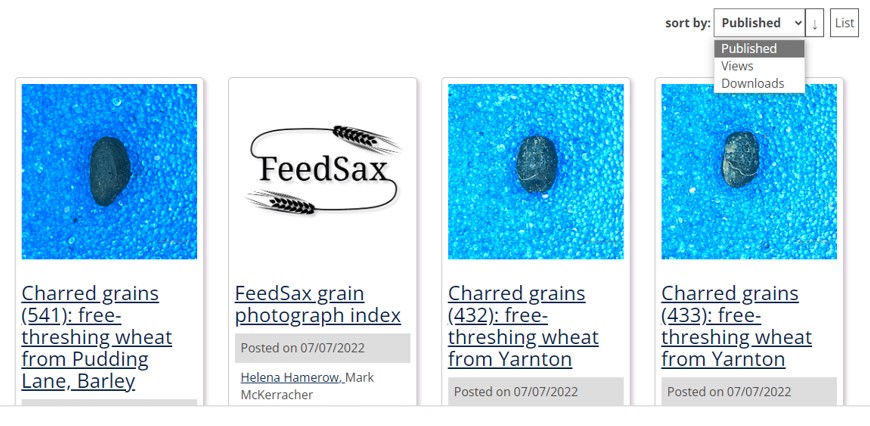
The embedded grid can be sorted by the end-user to show published research, views, or downloads:
The end-user can also view the embedded content as a list. This example shows a list sorted by number of downloads (the figure in brackets):
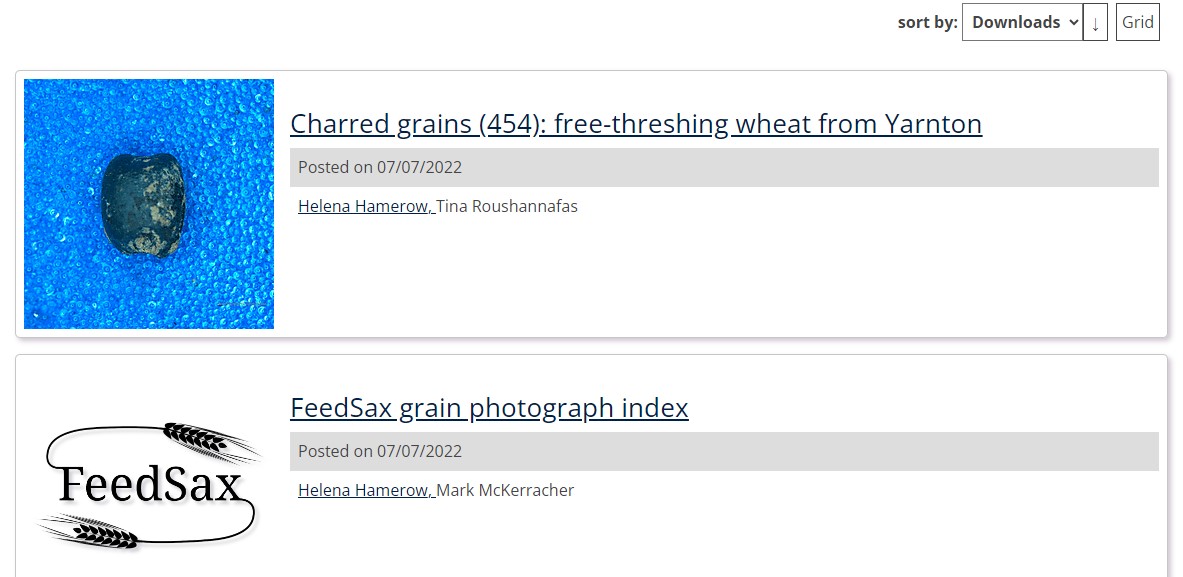
You can access the FeedSax sample content on the SDS site.
Video demonstrating how easy it is to embed SDS Figshare:
https://widgets.figshare.com/articles/24428290/embed?show_title=1You can also embed content from the commercially available version of Figshare as explained on How to Share, Cite or Embed your items - a help article for using figshare. The Interactive Data Network provides an explanation of this version of Figshare.

